
Any product, any options · Works without Shopify Plus
Sell anything custom on Shopify.
Let shoppers pick their own sizes, materials, add-ons and personalisation, and watch the price update as they go. When they're happy they buy it through your normal Shopify checkout — no quote forms, no email tennis.
Width
120 cm
Height
150 cm
Fabric
Blockout White
1.20 × 1.50 m · 1.80 m²
Priced live by the formula engine
$206.00
↑ This is a real, live pricing formula. Try it.
If shoppers can choose it, it fits.
A $3 gift-wrap checkbox or a fully measured product — one engine, endless catalogs.
Personalisation & engraving
Engraving text with a live character count, font choices as image cards, gift wrap as a checkbox add-on — each with its own price.
Print, photo & signage
Banners priced per square metre with material multipliers, photo products with file upload, free-text print notes.
Food, hampers & bundles
Build-a-hamper with multi-select add-ons and quantities, cake toppers as free text, allergy notes, pickup-date fields.
Window coverings & made-to-measure
Blinds priced by width × height, fabric swatches with click-to-zoom, motorisation multipliers, minimum-size checks.
Trade & wholesale
The same configurator, wholesale rates via customer groups, and pay-by-link invoices for account customers.
Manufacturing at scale
Ordered specs pulled nightly through the API into your ERP — full selections, breakdowns and price versions.
What your customers actually see.
Three moments that decide whether a made-to-order product gets bought instead of abandoned.
They see the colours before they click
Collection and home pages can show what a product comes in — fabrics, finishes, frame colours — taken from the options you already set up. Change a swatch in the app and the cards change with it; there's no second place to keep up to date.
How swatches work →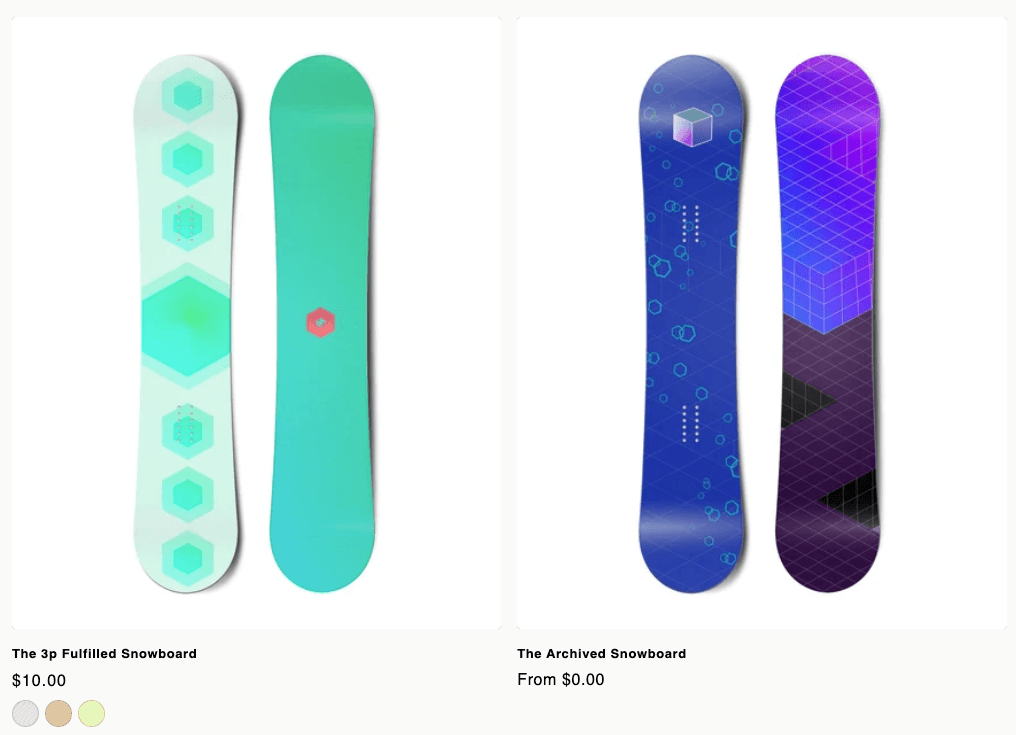
They build it, and the price keeps up
Every choice updates the total right away — no “call us for a quote”, no waiting to find out what it costs. It sits on your product page in your theme's styling, and Add to cart goes to your normal Shopify checkout.
Putting it on your product page →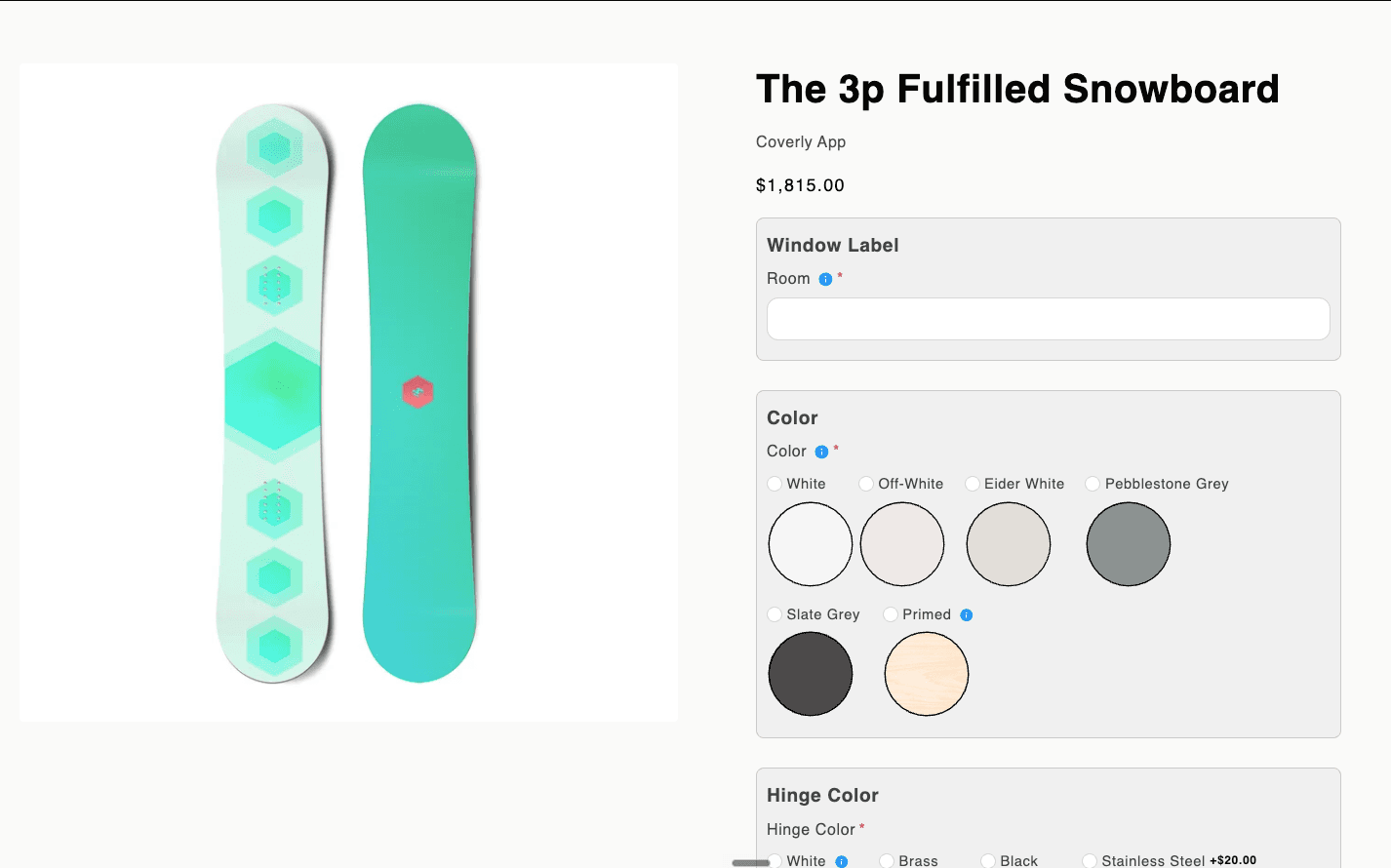
They save it, send it, and come back to it
Measuring six windows is not a five-minute job. A shopper can save what they've built, email themselves the link, and finish on another day or another device — or send it to whoever else has to say yes. Open it later and the prices are checked again, so nothing gets bought at last year's rate.
Saved carts & share links →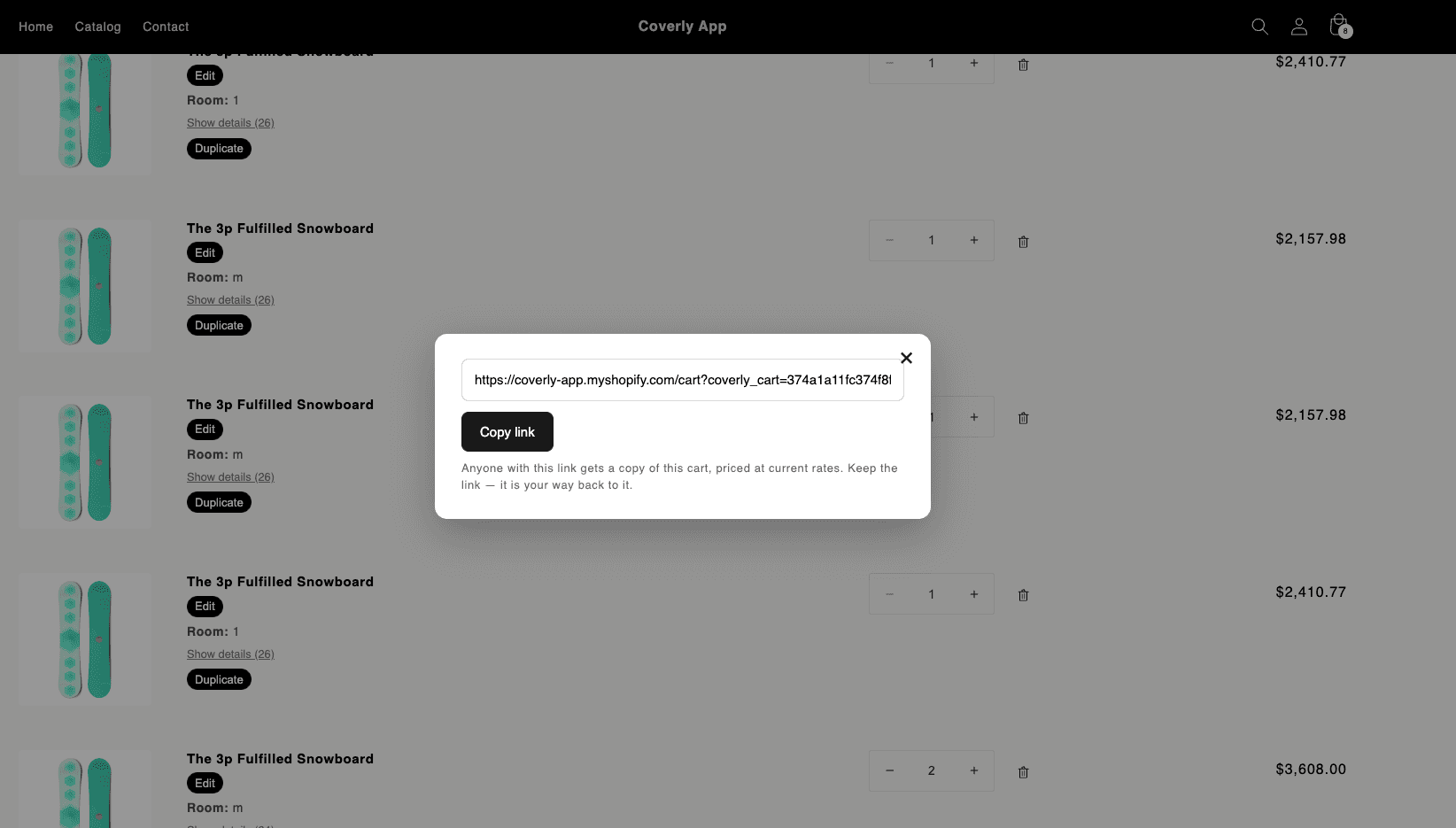
Everything between “it depends” and checkout.
From a $5 engraving add-on to made-to-measure priced off a size table — one app covers the whole range, so you don't end up buying a second one for the hard products.
Pricing that fits your product
Add a few pounds for a colour, or price by width × height with size bands and surcharges. Whatever shape your prices are, you set them up once and put them live when they're right.
The price keeps up
Change an option and the new price is already there — the sums run in the shopper's own browser. Collection pages price every card in one go, so nothing flickers or jumps while it loads.
No Shopify Plus required
Your normal Shopify checkout, Shop Pay and all, on whatever plan you're on. Nothing is bolted on the side and nothing sends shoppers somewhere else to pay.
The price you set is the price they pay
Every total is worked out again on our side before it can reach the checkout. Editing the page in a browser gets a shopper nowhere.
Questions that react to the answers
Swatches, dropdowns, sizes, text boxes. Options that don't apply switch off and say why, and a size nobody can make either stops the order or charges for the extra work — your call, rule by rule.
Quotes and pay-by-link
Turn what someone configured into an invoice, or a link that goes straight to checkout. For the trade counter, the showroom, and the customer who phones instead of clicking.
Carts that survive real life
Shoppers save what they built, get the link by email, and finish it later on another device — or send it to whoever signs off. Prices are rechecked when they open it, and any line can be edited from the cart instead of built again.
Swatches on your product cards
Show the colours a product comes in on collection and home pages, straight from its options — so people see the range before they open anything, and you don't keep a second set of images in step.
Different prices for trade
Wholesale and trade rates follow the tags already on your customers. Same product, same options, their numbers.
Build it once, use it everywhere
Set up a group of questions once and put it on a whole catalog. Each product can follow the original as it changes, or keep the version it started with.
Choices that are real products
Point a choice at something you actually stock — a fabric, a motor, a handle. It shows as unavailable when you run out, comes off the shelf when the order is placed, and goes back on if it's refunded.
Prices that know what month it is
Switch any price rule off without deleting it, or give it a start and end date — a winter surcharge that begins on 1 December and stops by itself. In your timezone, not ours.
The carts that got away
The carts shoppers built and didn't buy are waiting for you in the app, with the price they were quoted — searchable by what they chose and how much it came to. Someone who spent twenty minutes measuring windows is a phone call, not a lost sale.
Your store gets told
When a shopper saves their cart, Shopify Flow can take it from there — send them your own email, from your own domain, in your words. Tag them, segment them, whatever you already do.
Filters that fit custom products
Sort your catalog by what things actually are — motorised or cordless, blackout or sheer — and we keep the tags your theme filters on up to date as the catalog changes.
Sales and discounts still work
Run an automatic discount and configured products join in: the shopper sees the old price struck through and the new one beside it, and pays the discounted price at checkout like everywhere else.
Looks like your brand, not like an app.
Every knob a designer would ask for, grouped the way a merchant thinks.
Looks you can save and reuse
Fonts, colours, spacing, corner rounding, swatch shapes, button styles — saved as a look you can put on any product. Start from one of ours and change what you like, watching a preview that shows exactly what shoppers will get.
Show each question the way it reads best
Buttons, colour swatches, pictures or cards, set for the whole look or one question at a time. Labels under, beside, or not at all.
Long list? Break it up
Fold sections away so shoppers open one at a time, or walk them through it step by step. The running price and the Add to cart button stay with them either way.
Let them look closer
Click any fabric or picture to enlarge it, so someone can see the weave before they commit to it. And if you want something we didn't think of, your own CSS and JavaScript are welcome.
Fabric
Control
One option set, three of the built-in presets — restyled live, no code.
Live in an afternoon.
Write the questions
The choices a shopper makes: sizes, materials, add-ons, a message to engrave, a help note with a picture. Start from a ready-made set for your kind of product, or from a blank one, and use it across the catalog.
Say what things cost
A few pounds per option covers most of it. When it doesn't, price by size, by band, by surcharge — and test a configuration you already know the price of before you put it live.
Sell it
The configurator takes the place of Add to cart on the products you connect. Shoppers buy it themselves through your normal checkout, or you send them a quote. What they ordered can flow into your production system automatically.
Coming from Dynamic Product Options?
Bring the whole thing with you.
Years of option sets, prices and swatch images don't have to be typed in again. Export a backup from DPO, upload it here, and it all comes across in one go — including the formulas, translated into ours.
See what the move looks like →Download your backup
In Dynamic Product Options, Settings → Backup gives you one file. That's your side of it.
Drop it in and look before you leap
Upload the file and you get a preview first: every option set, price rule, tooltip, image and customer group it found, with notes on anything worth a second look.
Check the prices, then publish
Your formulas come in as drafts, so nothing reaches your storefront until you've tested a few known configurations against your old prices and pressed Publish.
An API your ERP will like.
If your workshop runs on software of its own, it can have every order's measurements and choices without anyone retyping them. Everything the app does, the API does — and this is the one part of the site written for whoever wires it up.
- Bearer-token auth, JSON everywhere
- Batch price computation with the exact storefront engine
- Nightly config sync: GET /configs?status=ordered
- Declarative template updates — describe the structure, we diff
curl https://<your-app-host>/api/v1/price \
  -H "Authorization: Bearer cov_••••••••" \
  -d '{
    "product_config_id": "9f2c…",
    "selections": { "fabric": "sunscreen_5",
                    "control_type": "motorised" },
    "dimensions": { "width": 120, "height": 150 }
  }'

{
  "price": 262.13,
  "breakdown": { "base": 89, "adders": [...] },
  "validation": { "ok": true },
  "ruleset_version": 7
}▌
Simple plans. Ironically, no formulas.
Start small with Starter, scale to unlimited products and wholesale on Pro, plug in your ERP on Advanced.
See pricing